
Up to 4,000 $ + 100 Free Spins
Welcome Bonus
Ozwin casino app: browser play and Practice Mode on Android and iOS
There is no native Ozwin casino app to download. We offer instant play through browsers on Android and iOS phones and tablets instead. If you want to try games before playing for real money, the route depends on your device: mobile Practice Mode requires an account, while desktop demo play is available when you are logged out.
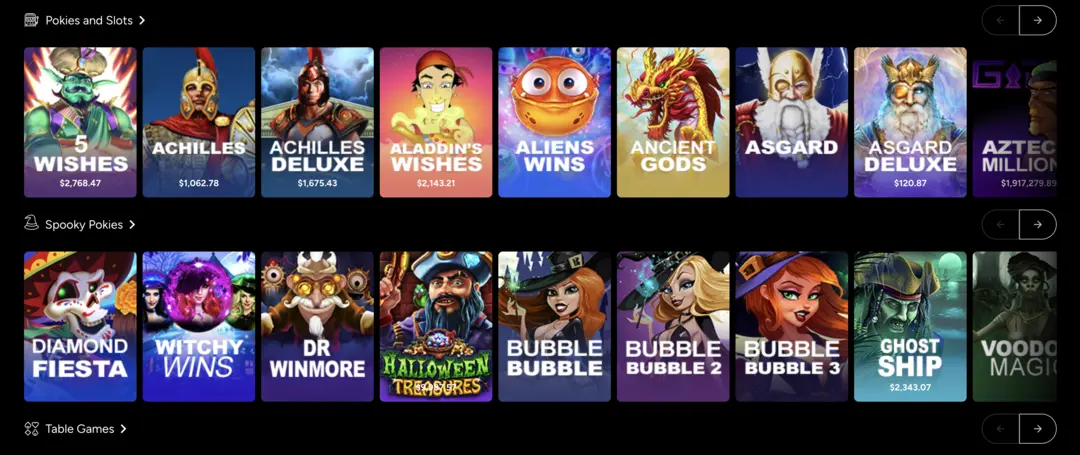
Play on your phone or tablet through a browser
The Ozwin casino homepage is the starting point in your device’s browser. You can use instant play on Android and iOS phones and tablets without downloading an Ozwin casino app.
- Open the casino website in a browser on your phone or tablet.
- Use Log In if you have an account, or Sign Up if you need to create one.
- Choose a game to play through the browser. If you want to practise on mobile instead, sign in and select Practice Mode.
A browser bookmark can make the website easier to return to, but it is not a native casino app or an APK download. Use the website rather than treating a third-party installer as the route to Ozwin mobile play.
Choose Practice Mode based on your device
The account requirement for trying games differs between mobile and desktop.
| Device | Instant-play access | Demo or practice route |
|---|---|---|
| Android or iOS phone or tablet | Browser-based instant play | Create an account and choose Practice Mode |
| Desktop | Browser-based instant play; Google Chrome is recommended | Demo play is available while logged out |
On mobile, Practice Mode is the account-based way to try a game; on desktop, you can use demo play without logging in. Practice play lets you explore a game without making a real-money wager. Our browser-accessible game selection includes slots, table games and board games, but do not assume every title offers the same practice options.
Find account controls on mobile
Once you are signed in, you can handle common account tasks without switching to a desktop browser. Deposit appears at the top of the mobile site; to request a withdrawal, open the menu at the top right and select Withdrawal. For document uploads, the mobile verification route is Withdraw → Account Verification. A withdrawal may require verification, so these controls serve a different purpose from Practice Mode.
For promotions, logged-in users can open Coupons in the mobile footer and select a coupon or enter a code. A free-bonus coupon is redeemed to the account, while a deposit-bonus coupon prompts a deposit. Mobile access does not determine whether you qualify for a particular offer; check its conditions in our Ozwin casino 100 free spins guide before claiming a promotion.
Frequently asked questions
Is an Ozwin casino APK available?
No casino app is offered. Mobile play is through the Ozwin website in a browser; do not treat a third-party installer as an official app route.
Can I try a mobile game without an account?
The described desktop demo is available while logged out. On mobile, an account is required to choose Practice Mode.
Where do I redeem a coupon on mobile?
After signing in, open Coupons in the footer. A free-bonus coupon is credited to the account; a deposit-bonus coupon prompts a deposit. Check the offer’s eligibility and terms before claiming.